


<
Okay, so let’s say you have three kids and they’re all involved in different sports and activities. For you, it’s a full time job to try to keep up with everything. And then when something changes, chaos abounds, right? Either you didn’t get the email about a practice time changing, or to remind you that you’re snack mom this week, or that Susie’s piano lesson was moved to Friday.
If your kids’ coaches, piano teachers, dance teachers, etc. create a TeamSnap account – these problems are solved! Or maybe you’re in charge of a team, or league, or even a club. Maybe you’re a Girl Scout Leader or Den Mother. You definitely want to check out the great features of the TeamSnap online app.
It would be impossible to tell you about all of the great features that TeamSnap offers in one post. But here’s the really great thing: you can get a 21-day FREE trial, no credit card required, to try out the program and experience all of the time saving and organizational features that it offers.
Step one is just to create your ‘group’. This could be your team, your piano students, your Girl Scouts, etc. And it couldn’t be easier to create. Just a few short pieces of info from you and Snap! Your group is created. Check it out:
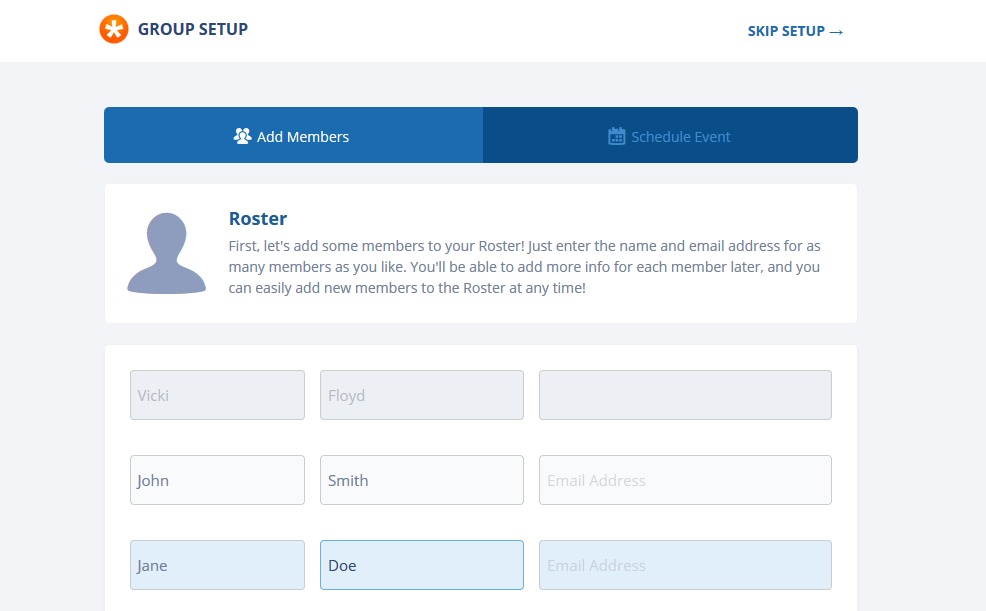
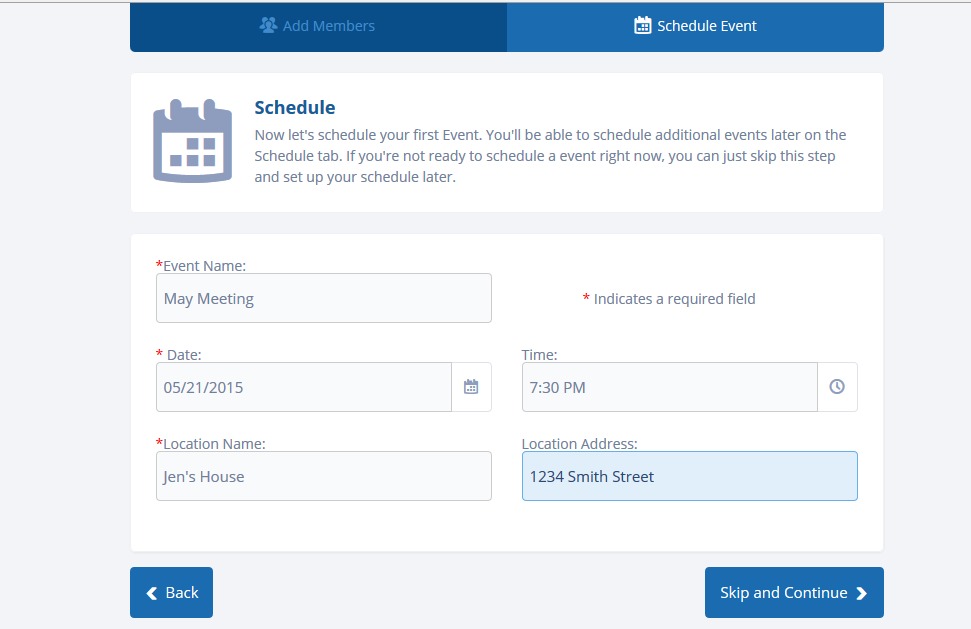
After you enter names and email addresses, you set up your events:
And finally, you’ll see all of the features that you have at your fingertips. Why is this important for your team? Because at a glance, they can check to see what’s going on, what has changed, when the practice is, who’s on the team, which parent belongs to which kid, etc. Genius!
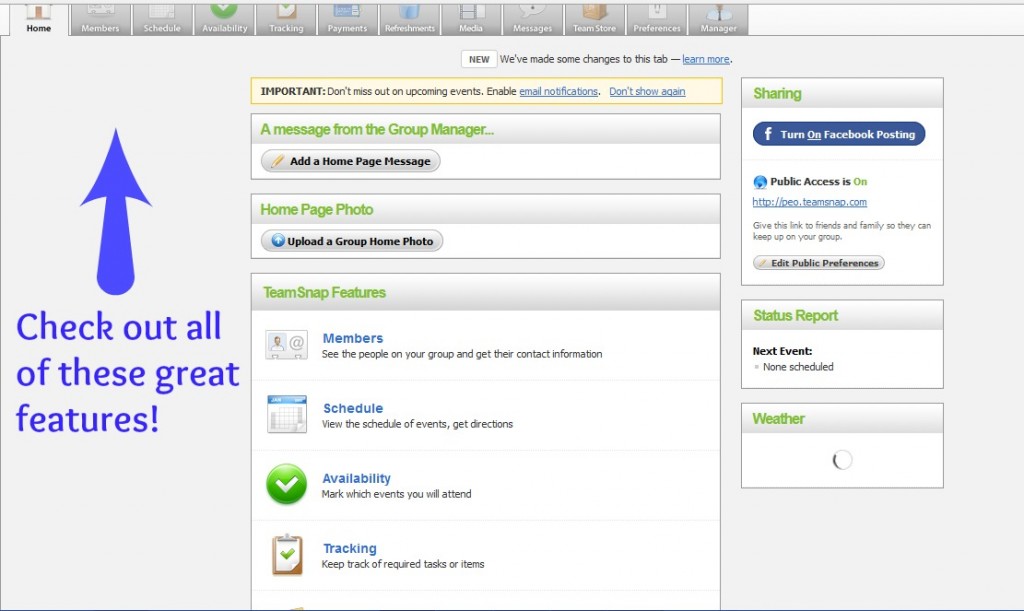
You can track payments made or owed for fees, look at the schedule, see who’s bringing refreshments, etc.
If you are responsible for managing any type of group or team, you need to check out TeamSnap. And it won’t cost you one cent to get your free 21-day trial. What are you waiting for??? Click here to grab your 21-day FREE trial!




Speak Your Mind